The challenge
One mission. Two different moments.
A supporter browsing a custom jersey can take time to explore. Someone seeking prescription assistance needs a useful destination quickly.
This work focuses on Custom Apparel and the Resource Center within the broader website redesign. Both share a recognizable identity, while their structure responds to different visitor goals.
Show support
Recognize the collection, compare clothing types, understand custom-order conditions, and continue to the store.
Find support
Identify a relevant assistance category, understand what an organization provides, and reach the right destination.
My contribution covered UX/UI design and the responsive page implementations. The work presented here is based on the page designs and their review, rather than interviews or a completed usability study.
Recognition and direction have different jobs
The brand connects the pages. The hierarchy helps each visitor decide where to go next.
Apparel discovery
Give merchandise a role in the mission.
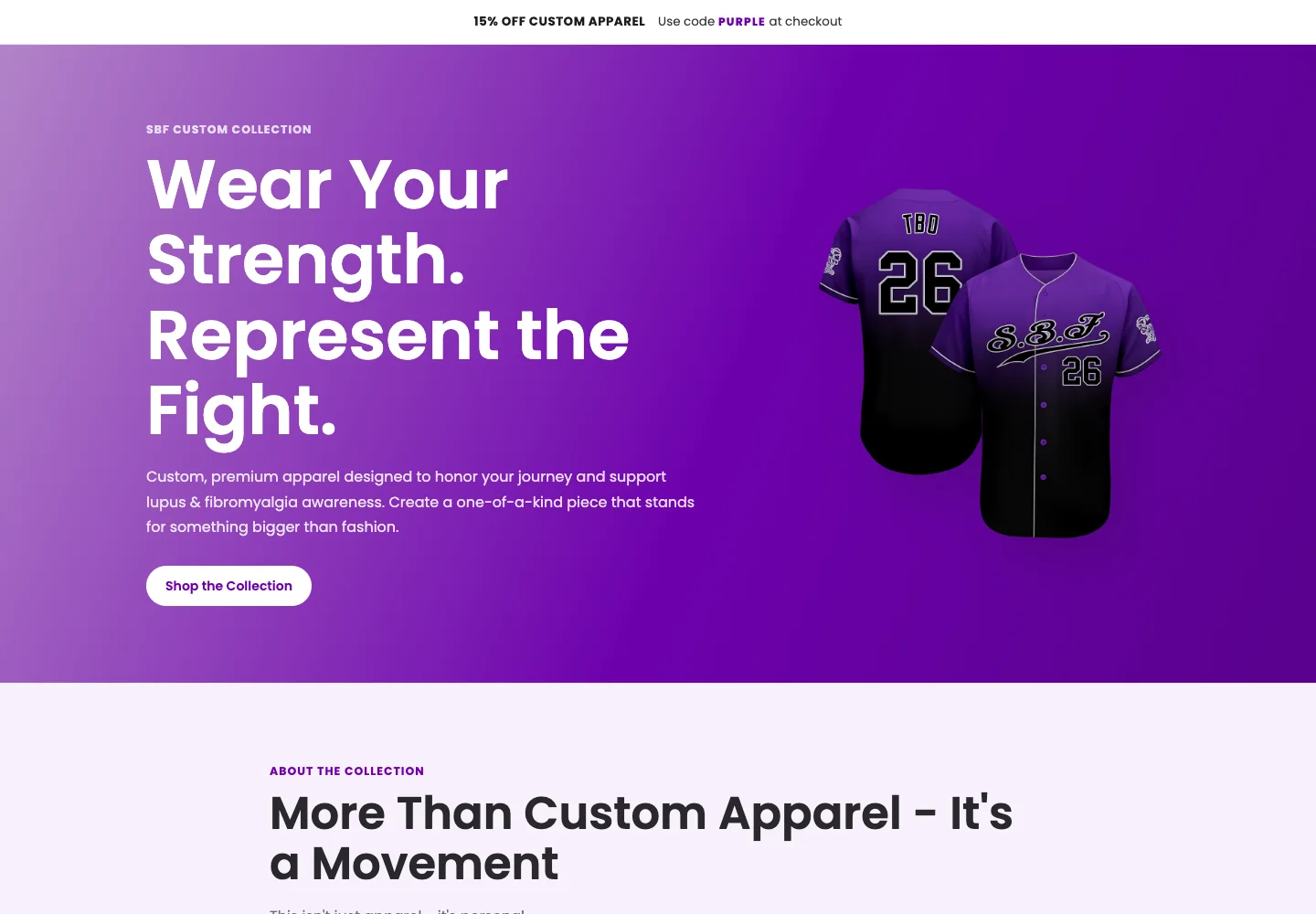
The apparel hero pairs a dominant jacket image with “Wear Your Strength. Represent the Fight.” It establishes the collection’s meaning before the category index introduces concrete choices.
Begin with a familiar category
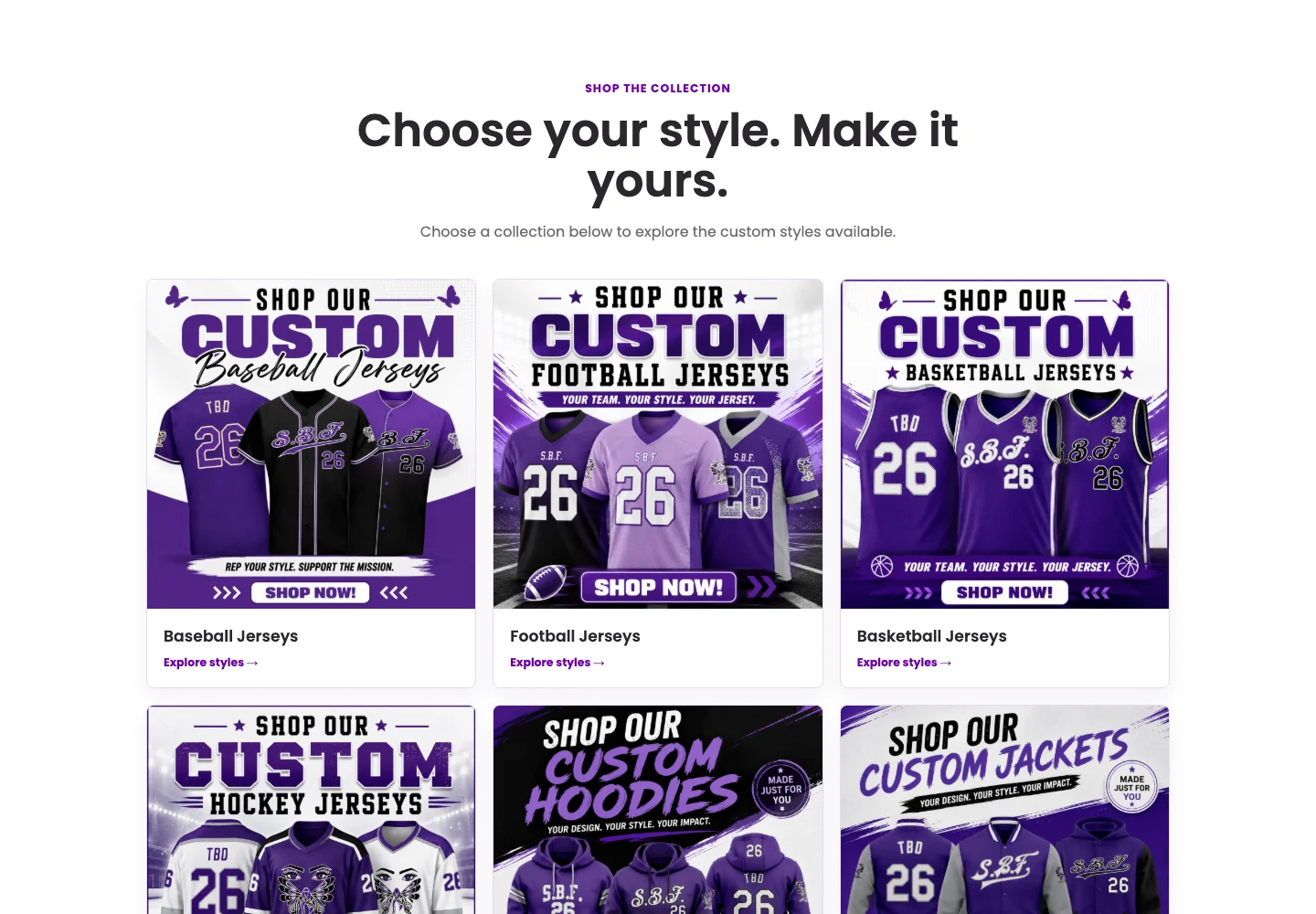
Baseball, football, basketball, hockey, hoodies, and jackets provide six entry points. Square image areas and consistent card structure help visitors compare the collection.
Explain the commitment
Product cards show a name, price, description, and store destination. Expandable sections cover returns, shipping, sizing, and customization; returns are open by default.
The tradeoff: meaning adds length
The mission narrative gives the collection context but delays the catalog. Policies also sit late in the page. Task-based testing should check whether shoppers can find a style and understand sizing and return conditions before they leave for the store.
- Understand the collection
- Choose a category
- Browse the SBF store
The scope is discovery and the store handoff. These pages do not include a product configurator, cart, or checkout.
Finding assistance
Organize information around a recognizable need.
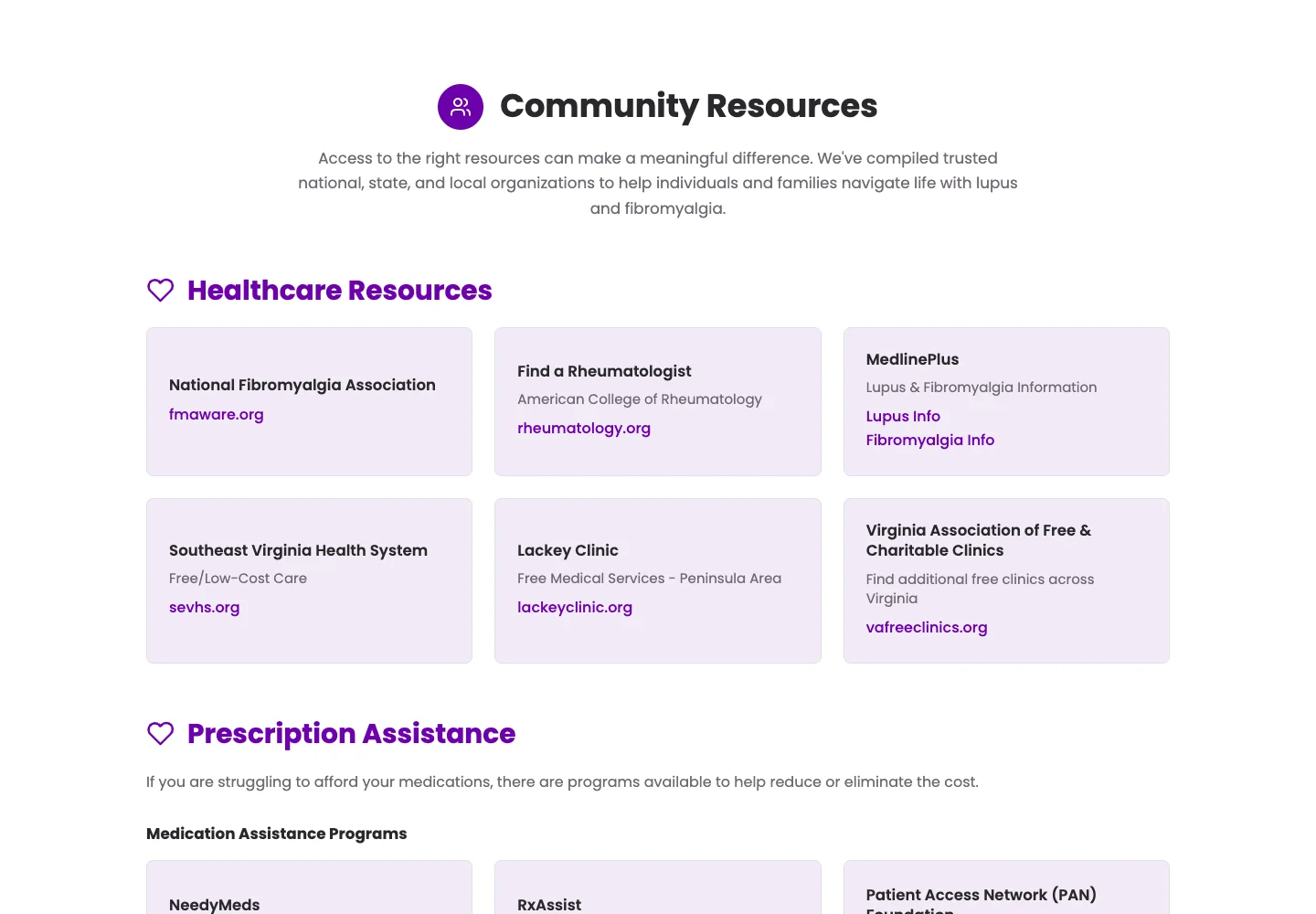
The Resource Center separates condition education from practical assistance. Parallel education sections cover overview, symptoms, diagnosis, and management; assistance groups address healthcare, prescriptions, food, and finances.
Make the destination visible
Resource cards name the organization and show its domain, with a description or geographic context where available. A contact route helps when none of the categories fits.
Keep the structure maintainable
Consistent headings and cards allow organizations and programs to change without redesigning the entire page. Link specificity still needs review: a provider homepage may leave visitors searching again.
Education comes first. Urgent intent may not.
Lengthy education sections precede practical assistance. A proposed next iteration would test a “What do you need?” jump menu near the top, including a clearly discoverable urgent-support route. This is a next step, not a feature of the current design.
Visual system
A shared identity, with room for different priorities.
Poppins typography, purple actions, lavender surfaces, dark text, rounded cards, and pill-shaped buttons connect the pages. Apparel gives product imagery more space; resources uses the same identity to distinguish sections and actions.
Brand purple
#6D01AD
Light lavender
#F7F1FB
Text ink
#29272C
Card content follows the decision
A merchandise card answers what the item looks like, what it costs, and where to browse. A resource card answers who provides help, what it is for, and where the link leads. Consistent styling supports different information needs.
Responsive density
The apparel catalog moves from three columns to two at 980px, then one at 680px. Resource grids stack at 860px to give organization names and descriptions more room.
Accessibility priorities
Headings, real links, focus styles, and native disclosure controls provide a foundation. Further review should cover contrast, keyboard order, zoom, long labels, motion preferences, and accessible documents.
Evaluation & scope
What the work delivers—and what needs validation.
The delivered pages show two distinct architectures within one brand: six apparel categories and a Resource Center with education and four practical assistance categories. Both provide responsive layouts and routes to existing services.
There is no analytics baseline or completed usability study for these pages. Revenue, task-completion, and support-demand improvements have not been measured.
Can shoppers find a relevant style?
Ask a participant to find a jersey and identify the next purchase step. Observe completion, backtracking, and category choice.
Are custom-order conditions understood?
Ask the participant to explain sizing responsibilities and return conditions before ordering. Record comprehension errors and policy discovery.
Can visitors find useful assistance?
Use a fictional support scenario to assess the chosen destination, time, and confidence. Avoid collecting diagnoses; allow flexible pacing and breaks.
Does the handoff finish the journey?
Follow the store or provider destination and assess its relevance. Purchase completion requires appropriate tracking and consent.
This is a proposed evaluation plan. Clinical content also needs an accountable review process before it can be treated as reliable guidance.
Reflection
Design the next step, not just the page.
The two experiences connect expression with usefulness. Apparel gives supporters a visible way to participate; resources gives visitors a structure for finding information and assistance.
The next challenge is to test those routes with people. A strong visual identity can create recognition, but the experience still depends on what happens after someone chooses a category or follows a link.
Gather
Less debating.
More together.